Oldest Comment Extension
Sort any YouTube video's comments from oldest to newest — instantly. See the very first reactions, find historic moments, and explore how communities have grown over time.


How it works
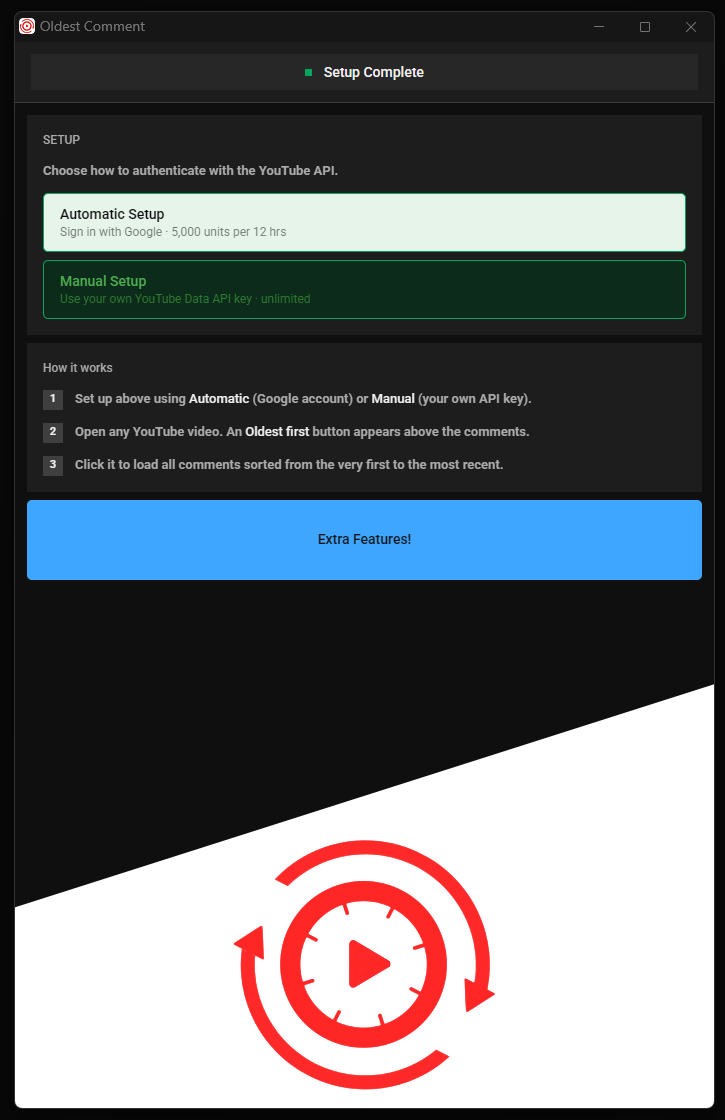
Install the extension from the Chrome Web Store — no account required to get started.
Open any YouTube video. An Oldest first button appears above the comments section.
Click it to load all comments sorted chronologically, from the very first to the most recent.
Data & Privacy
The Oldest Comment extension uses the YouTube Data API v3 to read public comment data from YouTube videos on your behalf. Specifically, we request the youtube.readonly scope to fetch comment threads sorted by date.
We do not collect, store, or transmit any personal data. All API calls are made directly from your browser to Google's servers. No data passes through our servers. Your optional API key and account token are stored only in your browser's local extension storage and never leave your device.
This extension is developed by Dan River and complies with the YouTube Terms of Service and Google's Privacy Policy.
Read our full Privacy Policy →